


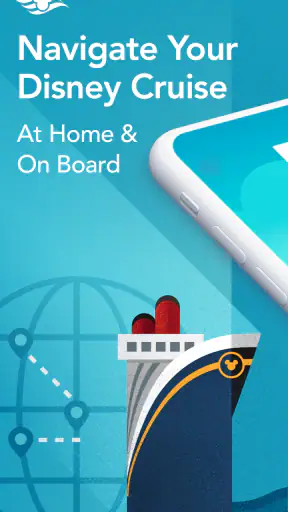
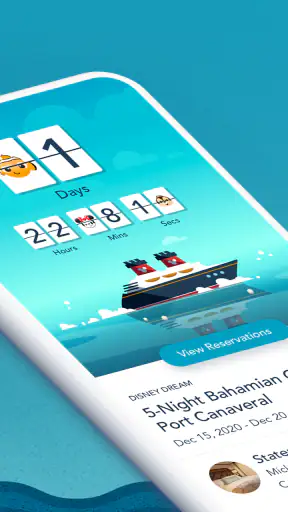
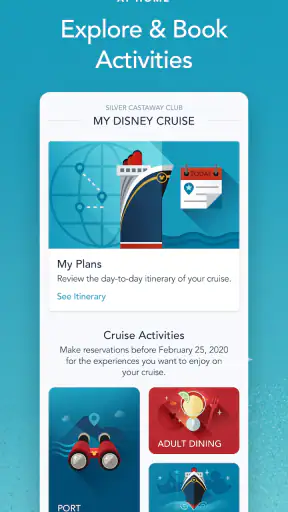
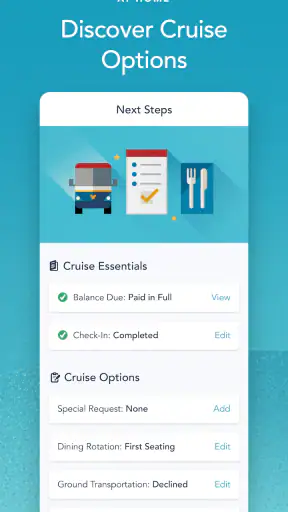
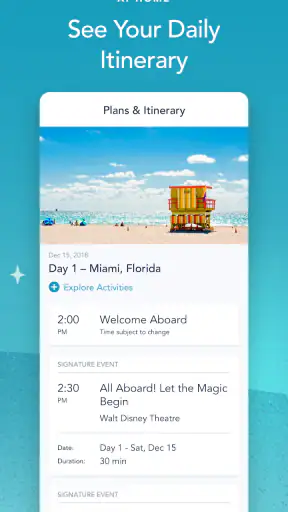
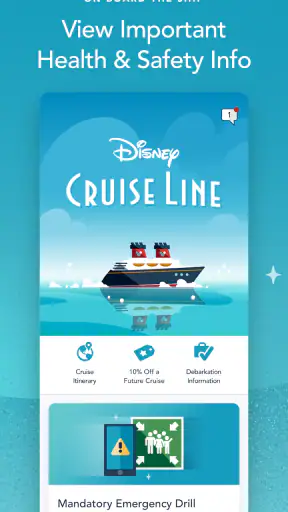
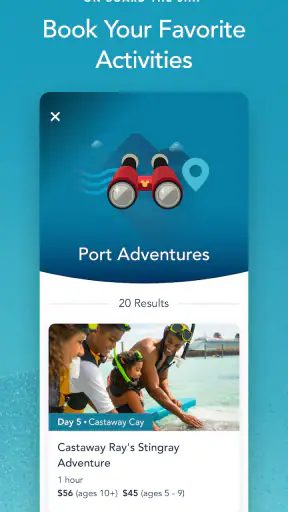
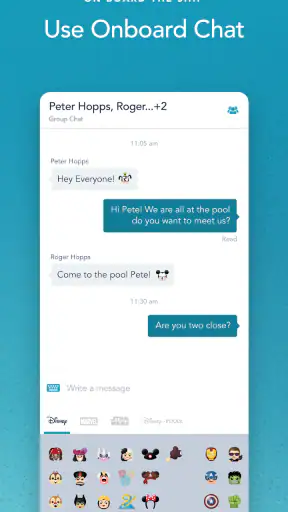
On a Disney cruise, the phone in your hand can become much more than a way to check the time. Disney Cruise Line Navigator is built for the practical side of the trip: keeping up with onboard communication, checking what is happening, handling payments, and making or managing activity plans. I found it most useful when I treated it as a trip companion rather than a general travel app. Its value appears in small decisions made throughout the day, especially when plans change and I need current information quickly.
Developed by Disney, this free Travel & Local app is aimed at guests using Disney Cruise Line services. It is available for Everyone, and the current release is version 5.49.0 for devices running iOS 11 or later. The app has reached over a million installs, with a 4.1 average from around nineteen thousand ratings. Those figures suggest a well-established tool, although the rating also reflects the fact that a cruise companion has to work in a very particular environment: onboard, on the move, and often when the user is busy rather than sitting down to explore menus.
How connectivity changes the onboard experience
The moments when a connection matters most
The central strength of Disney Cruise Line Navigator is that it brings cruise information into the same place as onboard chat, payments, activities, and entertainment planning. That combination matters because a cruise day is not organized like an ordinary city break. You may be deciding between an activity, a meal, a show, or time with family while walking through the ship. A paper schedule can tell you what exists, but a mobile tool is more practical when you need to check something at the exact moment a decision comes up.
Connectivity is therefore part of the experience, not just a technical detail. When the app can refresh the information you need, it reduces the need to remember times, locations, and plans. I particularly like this approach for families, where one person may be trying to coordinate several people with different interests. A quick look at the app can be more useful than repeatedly asking someone at a desk or carrying several printed notes.
The onboard chat is one of the features that changes how people use the app. It gives the phone a communication role during the voyage, rather than limiting it to a timetable. That can be helpful when a group splits up for a while and needs to reconnect. It is also a reason to think about battery life and network access before leaving the cabin: a communication tool is only convenient when the device is ready and the service is available in the situation where you need it.
Payments add another layer of convenience. Having payment-related actions near activity and entertainment planning means fewer separate processes to remember. Still, I would not rely on the app as the only place where I keep track of important arrangements. Before a busy day, I prefer to review what I have selected and make sure I understand the plan, rather than assuming that every screen will load instantly when I am standing in a crowded area.
Using it while walking, waiting, and multitasking
This is a mobile app in the most literal sense. I would use it while moving between parts of the ship, waiting for an activity, or sitting down briefly before the next event. That makes concise navigation more important than a large collection of information. The best workflow is to check the app before the rush begins, identify the things that matter, and then return only when a decision changes.
A realistic example is a family afternoon. One person wants entertainment, another wants a scheduled activity, and someone else needs to arrange a payment or send a message. Instead of passing around a printed schedule and trying to coordinate from memory, each decision can be handled through the same cruise-focused app. The advantage is not that it eliminates planning; it makes last-minute planning less scattered.
There is a trade-off here. A phone screen can make a personal itinerary easier to manage, but it can also pull attention away from the trip. I would avoid constantly browsing every available option. A better habit is to use the app as a quick reference: check the next commitment, confirm the location or timing shown to you, and close it again. That keeps the technology useful without turning the cruise into a series of screen checks.
For guests who do not normally use travel apps, the learning curve should be manageable because the purpose is focused. You are not dealing with a broad booking marketplace full of unrelated hotels, flights, and destinations. The app is specifically connected to the Disney Cruise Line experience. That focus is an advantage onboard, although it also means it is not a replacement for a general travel planner before or after the sailing.
What happens when the connection is unreliable
The main limitation is that a connected experience can feel less dependable when the network is busy, the device has weak access, or a screen needs to refresh at an inconvenient moment. I would not assume that every piece of information is permanently available without a connection. The safest approach is to open the app before leaving a reliable connection, review the parts of the day that matter, and avoid waiting until the exact start of an activity to look everything up.
This does not mean the app is unusable. It means the user needs a small recovery routine. If a page takes too long, I would first stop repeatedly tapping, check whether the phone itself still has a usable connection, and try again after moving to a less crowded spot. For an important plan, I would also remember the basic details rather than depending on a single live screen. That is sensible preparation for any cruise tool that combines communication, payments, and changing schedules.
The same thinking applies to chat. If I am arranging to meet someone, I would not send a message at the last second and immediately walk away. I would allow time for the other person to see it and respond. A message-based plan works better when both people understand that it is not the same as speaking face to face. For a group, agreeing on a simple meeting habit can prevent the app from becoming the only link between people.
Payment actions deserve similar care. I would complete them before the moment when I need them, check that the result is clear, and avoid assuming that a delayed screen means an action failed or succeeded. The app makes payment handling more convenient by placing it in the cruise environment, but convenience should not replace checking what the app shows after an action. This is one of the most useful habits for avoiding duplicate attempts or confusion.
Practical ways to use less data and battery
A cruise app does not need to dominate a phone all day. I would begin by checking the schedule and entertainment choices in a calm moment, then return for changes, messages, or decisions that genuinely require current information. This reduces unnecessary refreshing and keeps the phone available for communication when it matters.
Battery planning is especially important because the same device may be used for chat, payments, photos, and ordinary travel needs. I would charge before heading out, lower screen brightness when practical, and avoid leaving the app open in the background simply because I might need it later. These are small steps, but they make a difference when the phone is also serving as a camera and personal organizer.
Data-conscious use also means being selective about what I ask the app to do. If I already know the next activity I want, there is little benefit in repeatedly scanning every entertainment option. I would use the app to confirm and coordinate rather than endlessly browse. That approach is faster, easier on the device, and less distracting for anyone traveling with me.
People who are careful about mobile data should pay attention to how they connect and what they are doing inside the app, especially when using other online services at the same time. I would not treat the presence of a cruise-focused app as a guarantee that every phone function has identical connectivity conditions. Keeping general browsing and media use separate from essential cruise tasks is a sensible way to reserve attention and resources for chat, payments, and plans.
Where it beats ordinary travel alternatives
Compared with a general itinerary app, Disney Cruise Line Navigator has a clear contextual advantage: it is centered on the cruise rather than trying to organize every part of a holiday. A normal calendar can store reminders, and a notes app can hold a list of activities, but neither naturally combines onboard chat, payment actions, entertainment, and activity planning in one Disney Cruise Line setting.
A printed program still has a place. It is quick to glance at and does not ask you to manage a phone while carrying bags, eating, or spending time with family. For a guest who prefers paper and rarely changes plans, the app may feel like an extra layer. I would also understand skipping it if you do not want to use a smartphone for communication or payments. The app is most compelling for people who prefer current, interactive information and want fewer separate tools.
It is not the right choice as a complete holiday organizer. It will not replace the general tools I use for transport to the port, personal travel documents, or plans unrelated to the cruise. Its role is narrower and more useful because of that narrowness. I see it as the onboard control panel, not as the single application for an entire vacation.
Who will benefit most from it
Families and groups are the obvious audience. Shared plans are easier to manage when activities, entertainment, communication, and payments are close together. It can also suit first-time cruisers who want a central place to explore what they can do rather than relying entirely on memory or asking staff for every detail.
Independent travelers may appreciate it for a different reason. Instead of coordinating several people, they can use it to shape the day around personal interests and make quick changes. The app is also useful for guests who enjoy planning in advance but still want flexibility once onboard. The important distinction is that the app supports decisions; it does not remove the need to make them.
I would be more cautious about recommending it to someone with an older device, limited comfort with mobile interfaces, or a strong preference for completely offline planning. The minimum operating system is iOS 11 or later, so device compatibility should be checked before the trip. Even when the phone qualifies, a guest who dislikes relying on a connected screen may find a simple written plan more relaxing.
My final view on the connectivity trade-off
After using Disney Cruise Line Navigator as a practical cruise companion, I see its biggest benefit in reducing friction between separate parts of the day. Chat, payments, activities, and entertainment are not isolated ideas when you are onboard; they affect one another constantly. Bringing them together makes the app more useful than a basic schedule viewer, particularly when a group needs to coordinate while moving around.
Its weakness is the same thing that gives it much of its value: it is designed around connected, current interaction. I would prepare before busy moments, keep the phone charged, allow time for messages and payment confirmations, and avoid assuming that a live screen will always be ready at the exact second I need it. Those habits make the experience smoother without requiring me to stare at the app all day.
Disney Cruise Line Navigator is free, and Disney has kept it focused on the specific needs of its cruise guests. I recommend it to anyone who wants onboard plans and communication in one place, especially families and travelers who are comfortable using a phone throughout the day. I would skip it only if you strongly prefer paper schedules, want a general vacation planner, or are unwilling to depend on a connected mobile experience. For the right traveler, the app’s real strength is not simply listing what is available, but helping turn changing onboard choices into manageable plans.


